
The Importance of Canonical Tags in SEO
For digital marketing managers, the challenge of managing content duplication and maintaining strong search rankings is a constant battle. Canonical tags play a pivotal role in guiding search engines toward the preferred version of a web page, helping preserve your site’s SEO integrity. In this article, you will learn how to implement canonical tag best practices to avoid common pitfalls, enhance your website’s visibility, and ultimately increase conversions.
Why Canonical Tags Matter for SEO
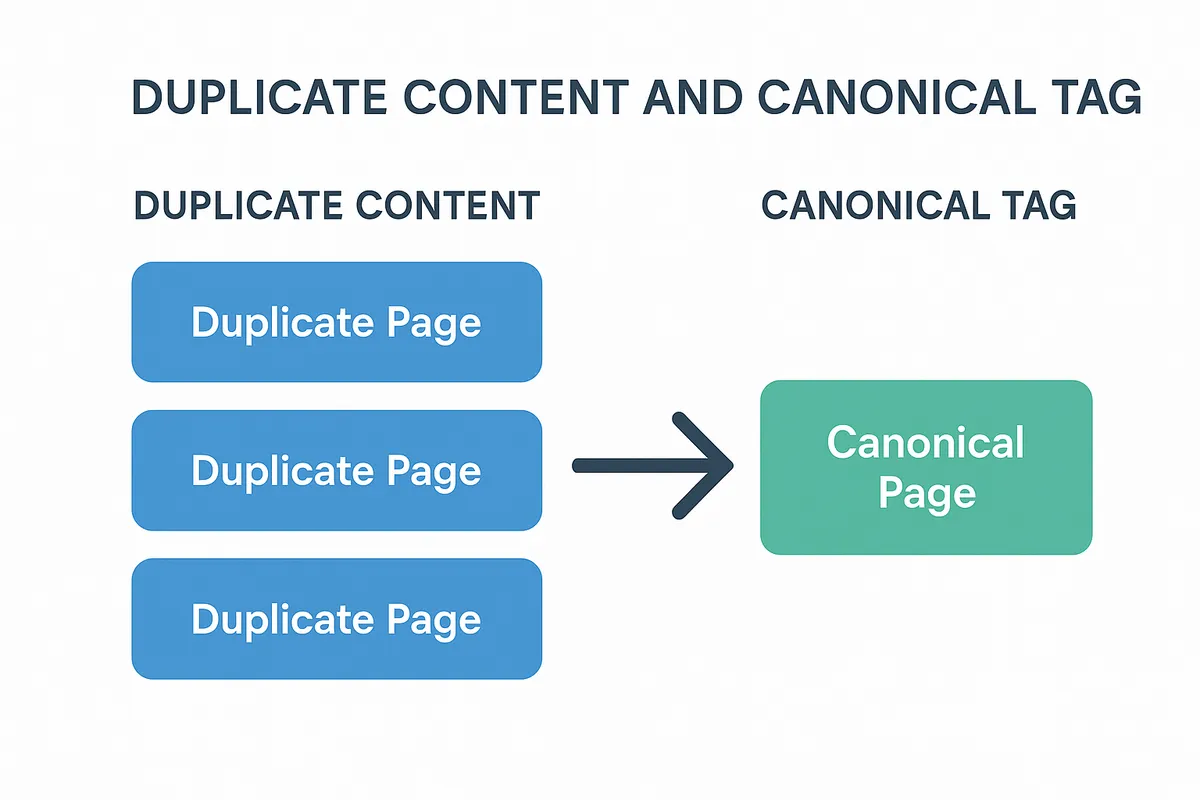
A well-implemented canonical tag signals to search engines which page to index, preventing dilution of ranking signals caused by duplicate content.
- Helps consolidate link equity and avoid ranking cannibalization.
- Prevents penalties related to duplicate content.
- Improves crawl efficiency by guiding search engines.
Preview of What You’ll Learn
This guide covers everything from the basics to advanced strategies, including how to audit your site, compare canonical tags with redirects, and analyze SEO impact.
What is a Canonical Tag? A Primer for Digital Marketing Managers
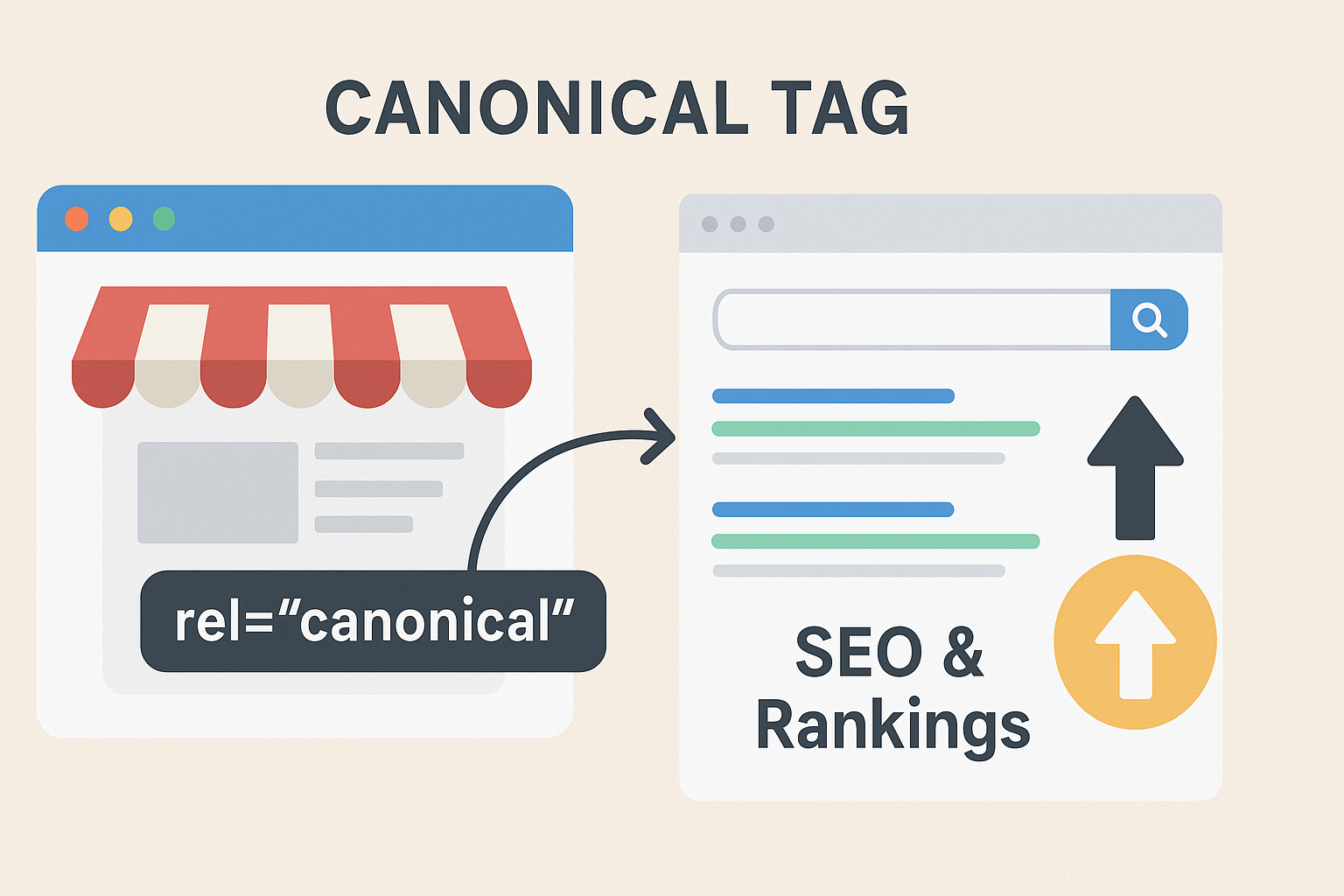
The canonical tag is an HTML element that defines the “preferred” version of a webpage when multiple URLs have similar or identical content. It helps search engines understand which URL to index and rank.
The Technical Definition
For any pages with duplicate content, include a link element in the HTML head that declares the preferred URL as canonical. Use the format <link rel="canonical" href="URL_HERE">, setting href to the single definitive URL, so search engines know which version to treat as the primary page for indexing.
Why Digital Marketing Managers Should Care
- Ensures your SEO efforts aren’t split across multiple URLs.
- Maintains consistent user experience by directing traffic to the right page.
- Helps manage content syndication and cross-domain duplication.
Common Use Cases
- E-commerce sites with product variations.
- Pagination and session ID URLs.
- Syndicated or scraped content.
The Role of Canonical Tags in Improving Website Traffic and Conversions
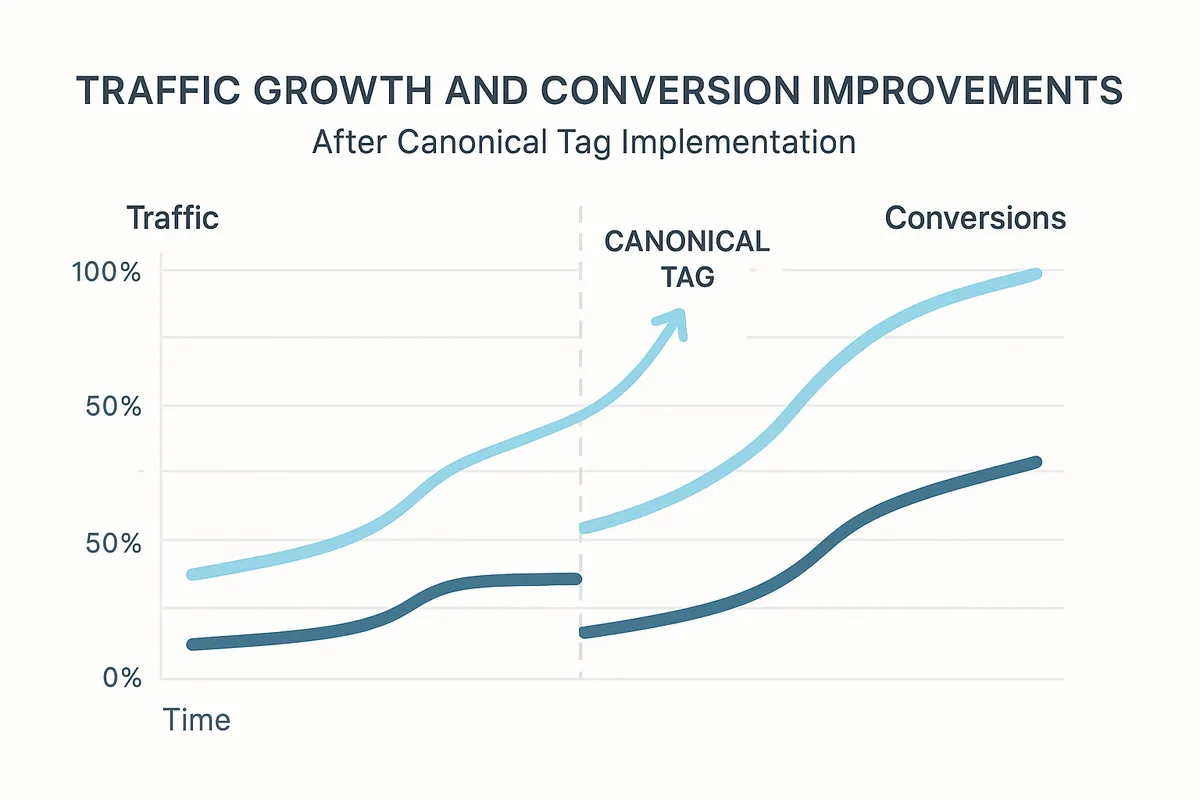
Correct usage of canonical tags directly impacts your website’s traffic by consolidating ranking signals and preventing duplicate content penalties.
How They Boost Traffic
- By consolidating backlinks to a single URL, you improve that page’s authority.
- Enhanced crawl budget efficiency helps search engines focus on your most valuable pages.
Impact on Conversions
- Improved search visibility leads to higher qualified traffic.
- Consistent URLs reduce bounce rates and increase trust.
Real-World Example
An online retailer optimized canonical tags for product pages with different colors, resulting in a 15% increase in organic traffic and improved conversion rate by 8%.
Common Misconceptions About Canonical Tag Best Practices
Many digital marketing managers misunderstand or misapply canonical tags, which can hurt SEO rather than help it.
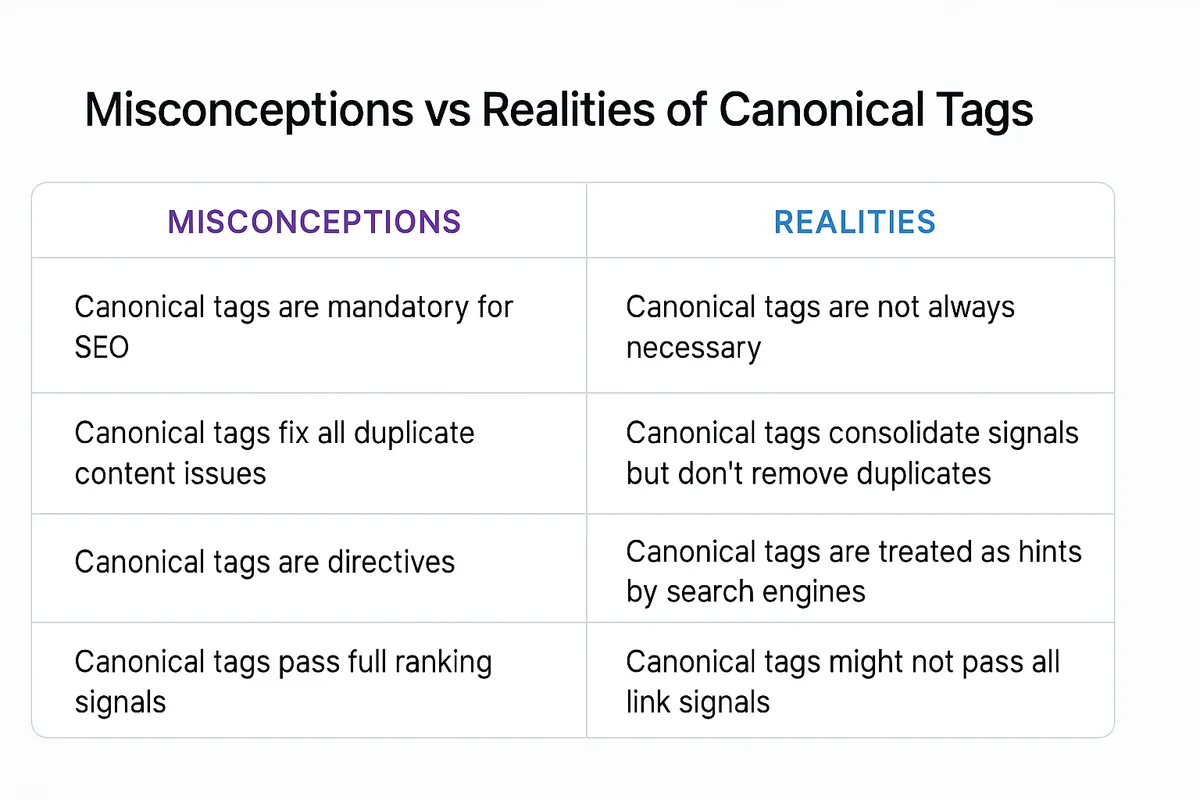
Misconception 1: Canonical Tags Can Replace 301 Redirects
- Canonical tags are hints to search engines, not directives.
- Redirects provide a stronger, immediate signal.
Misconception 2: You Should Canonicalize All Similar Pages
- Overusing canonical tags can confuse search engines.
- Only canonicalize pages that are near-identical or duplicates.
Misconception 3: Canonical Tags Automatically Fix Duplicate Content
- Canonicals help but don’t solve underlying duplicate content issues.
- Proper site architecture and content strategy are essential.
How to Identify When a Canonical Tag is Necessary
Determining when to implement a canonical tag is critical to your SEO success.
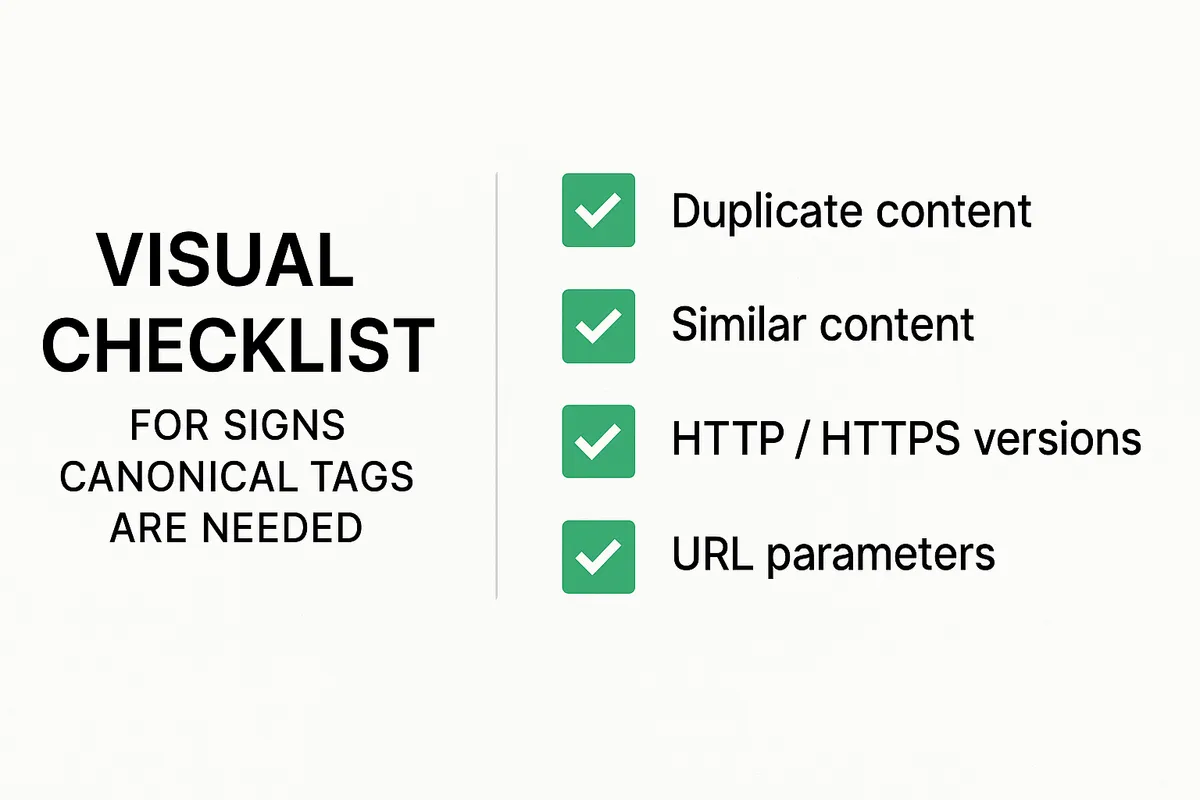
Signs You Need Canonical Tags
- Multiple URLs serving the same or very similar content.
- URL parameters that create duplicates (e.g., tracking codes).
- Content syndicated across multiple domains or platforms.
Tools to Help Identify Duplicate Content
- Google Search Console’s URL Inspection tool.
- Screaming Frog SEO Spider for site crawling.
- SEMrush or Ahrefs for backlink and duplicate content analysis.
Strategic Considerations
- Prioritize pages with highest traffic or conversions as canonical.
- Avoid canonical conflicts by mapping your site structure clearly.
Implementing Canonical Tag Best Practices: A Step-by-Step Guide
Applying canonical tag best practices requires a methodical approach to ensure accuracy and effectiveness.
Step 1: Audit Your Site for Duplicate Content
- Use SEO tools to identify duplicate or near-duplicate URLs.
- Analyze query parameters and session IDs.
Step 2: Choose the Preferred URL
- Select the most authoritative, user-friendly URL.
- Consider page performance and user experience.
Step 3: Add the Canonical Tag
- Insert the canonical tag in the section of non-preferred pages.
- Ensure URLs are absolute and consistent.
Step 4: Test Your Implementation
- Use Google’s URL inspection tool to verify canonical status.
- Monitor indexed URLs in Google Search Console.
Canonical Tags vs. 301 Redirects: Making the Right Choice
Understanding the difference between canonical tags and 301 redirects is crucial for your SEO strategy.
What is a 301 Redirect?
- A permanent redirect sends users and search engines from one URL to another.
When to Use Canonical Tags
- When you want to consolidate duplicate content but keep URLs accessible.
- For parameterized URLs or slight content variations.
When to Use 301 Redirects
- When a page is permanently moved or deleted.
- To consolidate multiple versions of a page fully.
SEO Impact Comparison
- 301 redirects pass about 90-99% of link equity.
- Canonical tags are treated as hints and may not always be honored.
Dealing with Duplicate Content: Canonical Tags as a Strategic Solution
Duplicate content can dilute your SEO efforts. Canonical tags are an effective part of your strategy to manage this challenge.
Types of Duplicate Content
- Exact duplicates: identical content on multiple URLs.
- Near-duplicates: similar content with minor variations.
Canonical Tags to the Rescue
- Consolidate ranking signals for duplicate pages.
- Prevent indexing of less important duplicates.
Complementary Strategies
- Use robots.txt and meta noindex where appropriate.
- Optimize internal linking to preferred URLs.
How to Audit Your Site for Correct Canonical Tag Usage
Regular audits ensure your canonical tags are correctly implemented and effective.
Tools for Auditing
- Screaming Frog SEO Spider to crawl and detect canonical tags.
- Google Search Console to monitor indexing issues.
- Sitebulb for detailed technical SEO reports.
Key Audit Checks
- Verify each canonical tag points to the correct preferred URL.
- Ensure no circular references or multiple canonicals on one page.
- Check for self-referencing canonical tags.
Best Practices for Ongoing Monitoring
- Schedule quarterly audits.
- Track changes in traffic and rankings after updates.
Analyzing the Impact of Canonical Tags on SEO Performance
Measuring the effectiveness of your canonical tag best practices is essential for continuous improvement.
Metrics to Monitor
- Organic traffic trends to canonical pages.
- Index coverage reports in Google Search Console.
- Backlink concentration and link equity.
Tools for Analysis
- Google Analytics for traffic and conversion data.
- Ahrefs or Moz for backlink profile insights.
- SEMrush for keyword ranking changes.
Interpreting Results
- Look for traffic uplift on canonical URLs.
- Identify any drops in ranking due to canonical misconfigurations.
Advanced Canonical Tag Strategies for Complex Websites
Large sites with thousands of pages require sophisticated canonical tag best practices to manage SEO effectively.
Dynamic Canonical Tags
- Use server-side logic to assign canonicals based on URL parameters.
- Avoid manual errors on large scale.
Cross-Domain Canonicals
- Manage syndicated content by canonicalizing back to the original source.
- Protect your content’s SEO value.
Handling Pagination
- Use canonical tags carefully with pagination—preferably self-referencing or pointing to the main category page.
International and Multilingual Sites
- Combine canonical tags with hreflang tags to avoid duplication across language versions.
Conclusion: Ensuring Content Integrity with Proper Canonical Tag Management
For digital marketing managers, mastering canonical tag best practices is vital to safeguarding your website’s SEO health. By correctly identifying duplicate content, implementing precise canonical tags, and continuously auditing your site, you ensure your content’s integrity and maximize traffic and conversions. Start optimizing today to make every URL count.
You are encouraged to read Google's instructions about how to use canonical tags for your content.
Ready to elevate your SEO strategy with expert canonical tag implementation? Audit your site now and see the difference.
FAQ
1. What is a canonical tag and why is it important?
A canonical tag is an HTML element that tells search engines which version of a page to index, preventing duplicate content issues.
2. How do canonical tags affect SEO?
They consolidate ranking signals and prevent content duplication penalties, improving search rankings.
3. Can canonical tags fix all duplicate content problems?
No, they help manage duplicates but should be part of a broader content strategy.
4. When should I use a canonical tag versus a 301 redirect?
Use canonical tags for similar content that must remain accessible; use 301 redirects for permanently moved pages.
5. How do I implement a canonical tag correctly?
Place a tag in the section of duplicate pages.
6. Can canonical tags point to URLs on different domains?
Yes, cross-domain canonical tags help manage syndicated or duplicated content.
7. Should every page have a self-referencing canonical tag?
Yes, it confirms the preferred URL to search engines and avoids confusion.
8. How do canonical tags impact crawl budget?
They improve crawl efficiency by guiding search engines to important pages.
9. What tools can help audit canonical tag usage?
Screaming Frog, Google Search Console, Sitebulb, and SEMrush are popular choices.
10. Can canonical tags affect page load speed?
No, canonical tags are lightweight and do not impact load times.
11. How do canonical tags work with pagination?
Use self-referencing canonical tags or point to the main category page to avoid duplication.
12. What mistakes should I avoid with canonical tags?
Avoid pointing canonicals to non-existent pages, multiple canonicals on one page, and conflicting tags.
13. Do canonical tags transfer link equity?
They help consolidate link equity but are treated as hints, unlike redirects which are stronger signals.
14. How often should I audit canonical tags?
At least quarterly or after major site changes.
15. Can canonical tags help with mobile and desktop versions of a site?
Yes, they prevent duplicate content between different device versions.
16. How do canonical tags interact with hreflang tags?
They work together to manage language-specific duplicates and preferred URLs.
17. Is it okay to canonicalize parameterized URLs?
Yes, to consolidate ranking signals and avoid duplicate content.
18. What happens if canonical tags are misconfigured?
It may lead to loss of rankings and incorrect pages being indexed.
19. Can canonical tags be used for images or videos?
No, canonical tags are specific to HTML pages.
20. Should I use canonical tags on blog post duplicates?
Yes, especially when content is syndicated or republished on other sites.
21. How do search engines treat canonical tags?
Most treat them as strong hints but not absolute commands.
22. Can canonical tags improve user experience?
Indirectly, by reducing duplicate content and directing users to consistent URLs.
23. What's the difference between rel="canonical" and meta robots noindex?
Canonical tags guide preferred URLs; noindex prevents pages from being indexed.
24. Are canonical tags necessary for single-page websites?
Typically no, unless they have multiple URLs serving the same content.
25. Can canonical tags prevent content scraping issues?
They help indicate the original source but don’t prevent scraping itself.
26. Do canonical tags impact paid search campaigns?
No direct impact, but they influence organic search visibility.
27. How to monitor if canonical tags are working?
Use Google Search Console to check indexed URLs and crawling behavior.
28. Can canonical tags help with affiliate marketing sites?
Yes, to avoid duplicate content from syndicated product descriptions.
29. What is a canonical URL?
The canonical URL is the preferred URL specified within the canonical tag.
30. Should canonical tags include trailing slashes?
Use consistent URL formatting to avoid confusion; either include or exclude trailing slashes consistently.